
Free Excel & Google Sheets template
Know Where Your Project Stands
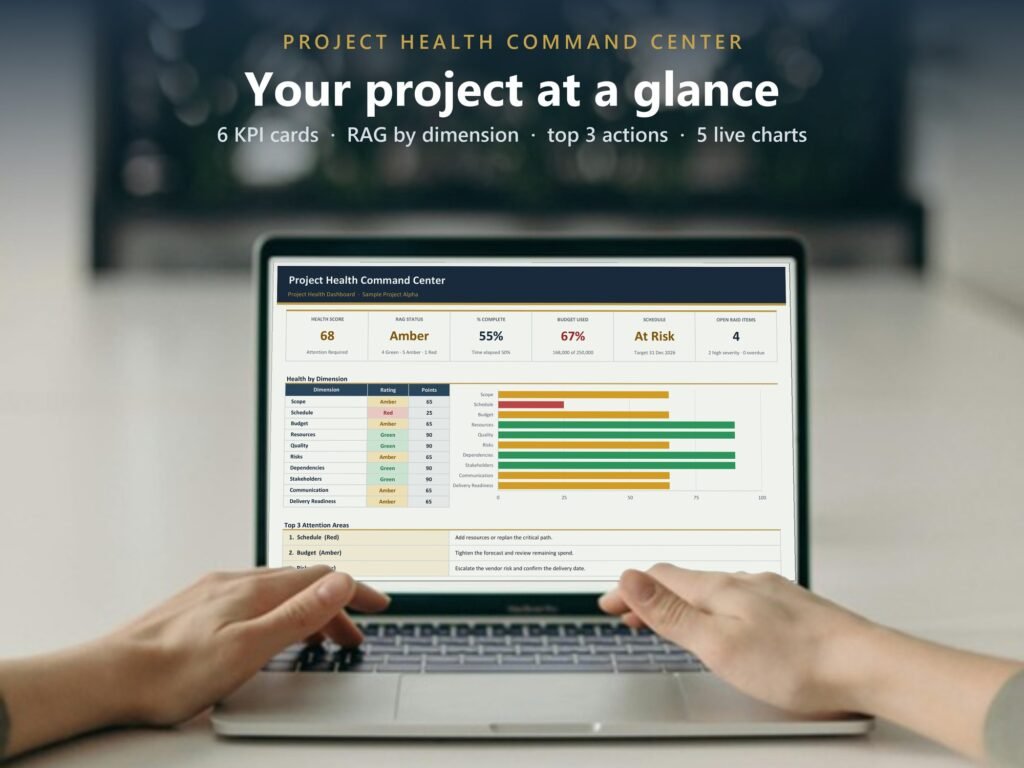
The Project Health Command Center scores your project across 10 weighted dimensions, flags your top 3 attention areas and builds a one-screen executive dashboard. No macros, no add-ons, nothing to set up.
Free, no email needed. Using Google Sheets? Upload the file to Google Drive and open it with Google Sheets: every formula and chart works there too.
What it does for you
A health score, worked out for you
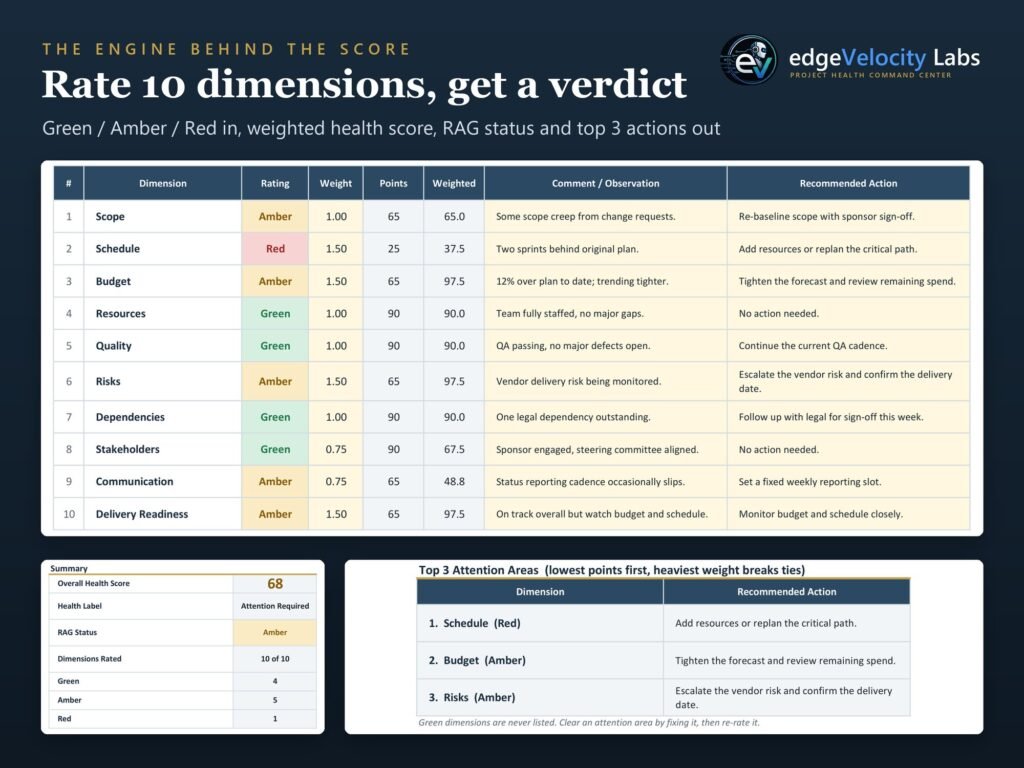
Rate 10 weighted dimensions Green, Amber or Red. The workbook turns them into an overall score from 0 to 100 and a RAG status.
Your top 3 attention areas
It flags the three areas that need you first, with a suggested next step for each.
A one-screen executive view
Overall score, budget used, schedule and 5 live charts that update as you type. Ready for your next status meeting.
8 tabs, ready to use
- Start Here
- Project Input
- Health Check
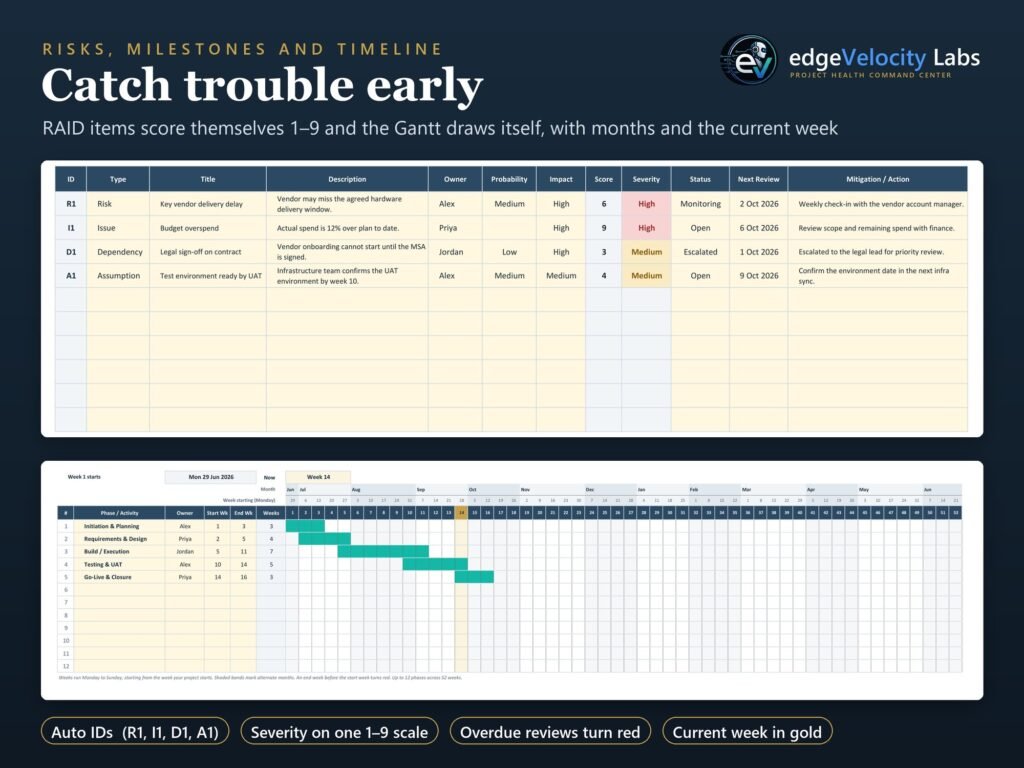
- RAID Log
- Milestones
- Dashboard
- Weekly Snapshot
- Gantt
Works the same in Microsoft Excel and Google Sheets.