

Built for the Future, Built for the edge
Excel + Google Sheets (no macros, no add-ins)
CapGate Pro: Know What to Capitalize, and Prove It to Your Auditor.
Log hours and invoices. CapGate Pro decides what to capitalize, builds the amortization schedule and shows the P&L impact, with audit checks on every row.
Built for finance teams, controllers, PMOs, fractional CFOs and IT leaders who split software, cloud and IT project costs between CapEx and OpEx. Works in Excel and Google Sheets, with no macros, scripts or add-ins.
Regular price $19.99 CAD Sale price $15.99 CAD 20% off until Oct 18 — one-time purchase
Prefer Etsy? Buy on Etsy (opens in a new tab)
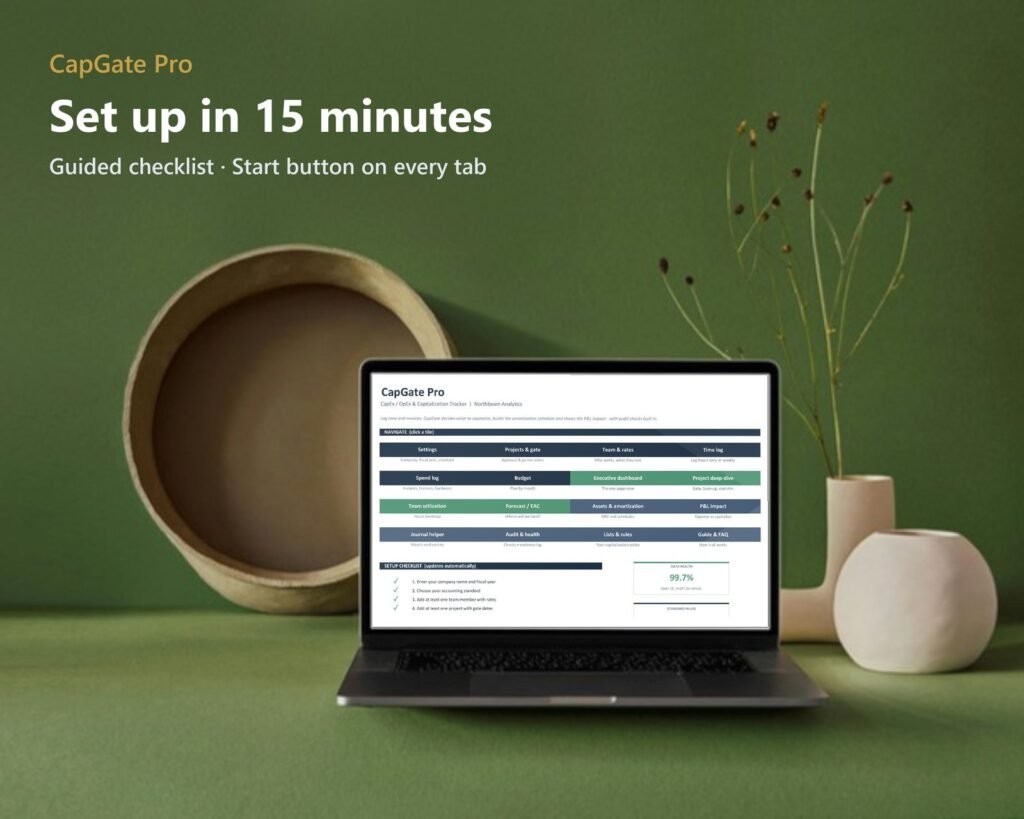
Up and Running in 15 Minutes
No formulas to build. A checklist on the Start tab walks you through setup and ticks itself off as you go.
Download Your Files
Get the files from the link on your receipt page and in your purchase email.
Open Excel or Google Sheets
Open the Excel workbook, or click "Make my copy" in the Access Links PDF for your own Google Sheets copy.
Follow the Setup Checklist
Pick your accounting mode, currency and fiscal year, then add your projects and team rates using the 15-minute checklist on the Start tab.
Log Time and Spend Weekly
Every dashboard, amortization schedule and audit check updates itself.
Take the Tour
Real screens from the workbook, shown with the included sample company and 18 months of data.
Dashboard
Executive Dashboard
Total spend, CapEx and OpEx, capitalization rate, budget used and data health at a glance, with 11 charts including budget vs actual and top cost categories.
Accounting modes
Four Accounting Standards, One Switch
US GAAP ASU 2025-06 (the new gate-based rules), legacy ASC 350-40 stages, IFRS IAS 38, or your own custom policy. Every activity and cost category rule is editable.
Time & spend
Log It Once, Classified Automatically
Each project's capitalization gate (approval, funding, "probable to complete" and go-live dates) sets the window. Work outside it is expensed and flagged, and every row says why.
P&L impact
See the P&L Impact
Expense everything vs capitalize and amortize, month by month, with the EBITDA and operating-profit uplift charted.
Month-end
Month-End in Four Steps
Log time and spend, let CapGate split CapEx and OpEx, amortize your assets, then post the suggested journal entries, with a debits = credits check.
Projects
Project Deep-Dive
Gate dates, budget health, a burn-up chart, cost mix, CapEx vs OpEx by month and top contributors for any single project.
Audit
Audit & Data Health
10 automatic checks with pass, review and fix status, a data health score, and an evidence log for approvals.
What's Included
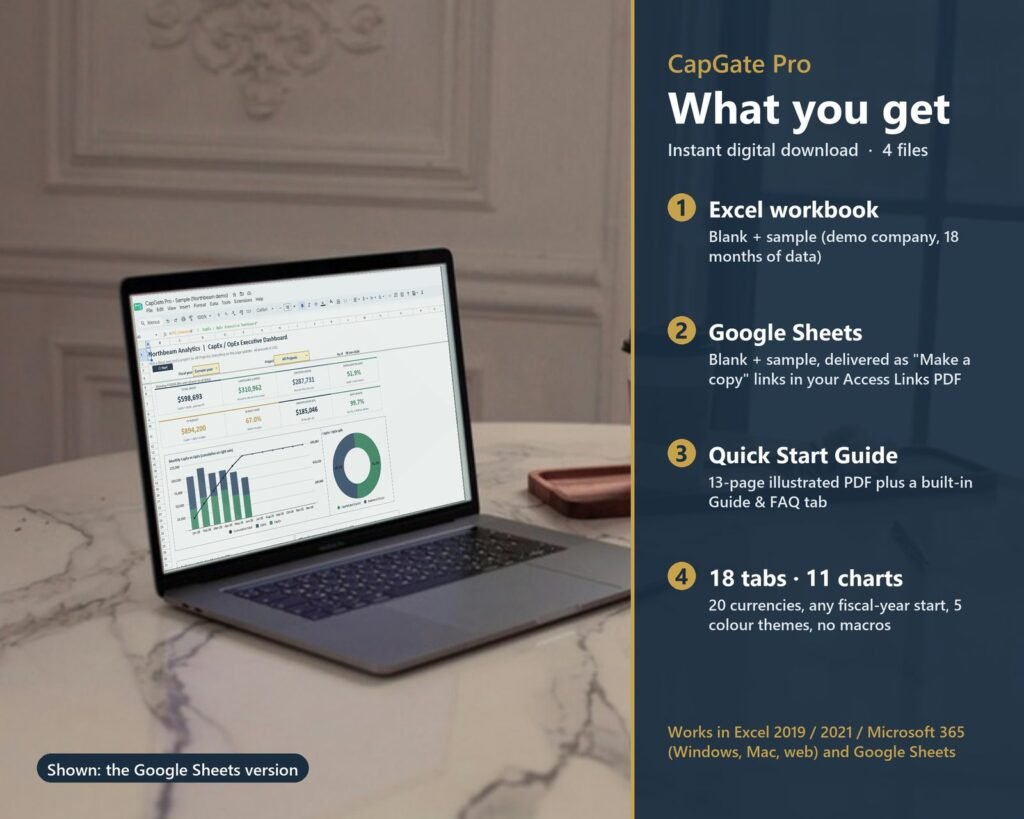
Excel workbook and Google Sheets versions, each with a blank copy for your own data and a sample company with 18 months of data to explore first. Plus a 13-page illustrated Quick Start Guide and a built-in Guide & FAQ tab.
4 accounting modes in one switch: US GAAP ASU 2025-06, legacy ASC 350-40, IFRS IAS 38 or your own policy
Capitalization gate per project: work outside the window is expensed and flagged automatically
Your policy, not ours: every activity and cost category rule is editable
Auditor-friendly labor costing that keeps overhead out of capitalized labor
P&L impact view with EBITDA and operating-profit uplift, month by month
Month-end journal helper with suggested entries and a debits = credits check
Data health score, 10 automatic audit checks and an evidence log for approvals
Straight-line amortization, write-offs, net book value, forecast and EAC
20 currencies, any fiscal-year start month and 5 colour themes
Works where you already work
Microsoft Excel 2019, 2021 and Microsoft 365 (Windows, Mac and web), or Google Sheets with a free Google account. Not for Apple Numbers or LibreOffice.
No subscriptions
One-time purchase for one business (or one client engagement for consultants). No login, no monthly fee.
CapGate Pro applies the accounting rules you choose. It isn't accounting, tax or legal advice, so confirm your policy with your accountant or auditor. It prepares journal entries for you to post in QuickBooks, Xero, NetSuite or your own system.