

Built for the Future, Built for the edge
Microsoft Excel (no macros, no add-ins)
Advanced Project Planner, Excel Edition: Know Which Project Is Drifting Before the Report Turns Red.
Plan with a baseline, log costs against tasks and see earned value on every project: SPI, CPI and a forecast at completion, worked out for you. Plus a Gantt chart, Kanban board, RAID log, priority matrix and a client-ready status report, in one Excel workbook.
Built for project managers, small PMOs and consultants who run several projects at once. Works in Excel 2016 or later, Microsoft 365 (including Excel for the web) and Excel for Mac, with no macros or add-ins.
$19.90 CAD — one-time purchase
Prefer Etsy? Buy on Etsy (opens in a new tab)
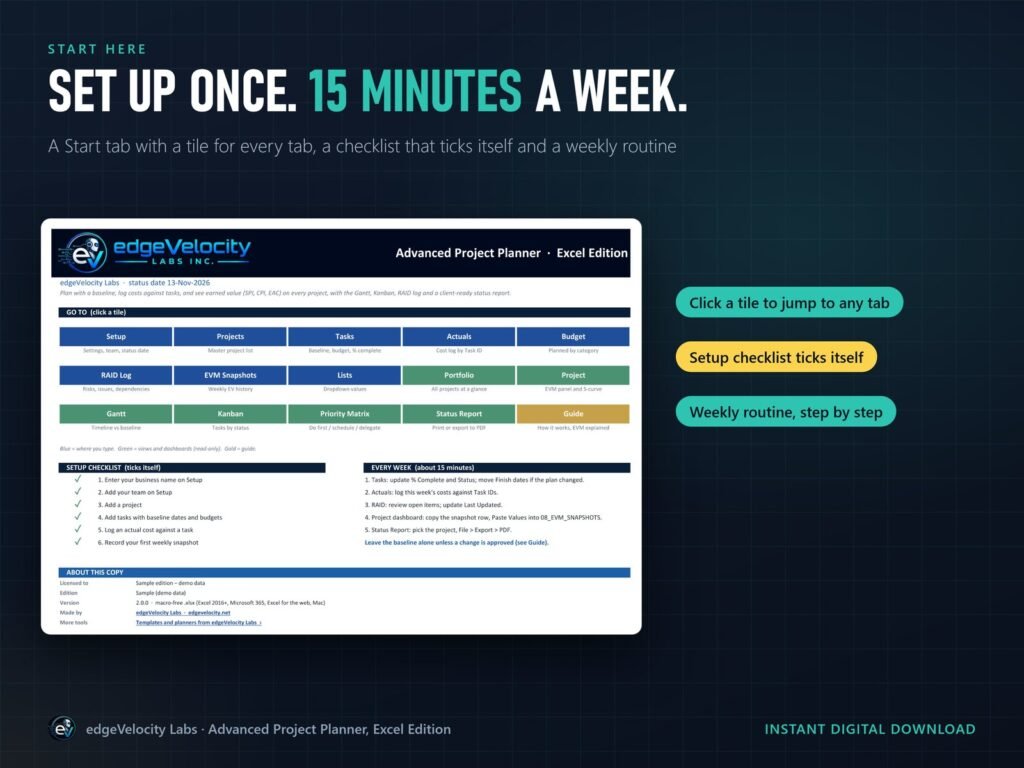
Set Up Once, Then 15 Minutes a Week
No formulas to build. The Start tab has a tile for every tab and a setup checklist that ticks itself off as you go.
Download Your Files
Get the Sample and Blank workbooks and the Quick Start Guide from the link on your receipt page and in your purchase email.
Explore the Sample
Six demo projects (on track, at risk, over budget, behind, not started and complete) fill every dashboard, so you can see how it works first.
Set Up the Blank
Add your business name, currency and team, then your projects and tasks with baseline dates and budgets.
Run the Weekly Routine
Update % complete, log costs, review the RAID log, record the weekly snapshot and export the status report to PDF.
Take the Tour
Real screens from the workbook, shown with the six demo projects in the Sample.
Earned value
Earned Value, Built In
PV, EV, AC, SPI, CPI, EAC, VAC and TCPI on every task and project, with an S-curve of planned vs earned vs actual cost, week by week. The Guide tab explains every number with a worked example.
Plan
Gantt for the Plan, Kanban for the Work
A Gantt chart with baseline shading, % complete and a status-date line, and a Kanban board sorted by priority and due date. Both read the same task list, so nothing is typed twice.
Report
Client-Ready Status Reports
Pick a project and the dashboard and status report fill themselves. Export to PDF, and hide the financials with one setting for a client copy.
Risk
RAID Log and Priority Matrix
Risks, assumptions, issues and dependencies, scored probability × impact, with owners and review dates. Open tasks sorted into do first, schedule, delegate and don't do (yet).
Platforms
Excel Desktop, Web and Mac
A plain .xlsx with no macros: Excel 2016 or later, Microsoft 365 and Excel for Mac. Save it to OneDrive, SharePoint or Teams to co-author it with your team.
Who it's for
Built for PMs and Small PMOs
Room for 100 projects, 1,500 tasks, 3,000 cost lines and 500 RAID items, with checks that flag duplicate IDs, missing baselines and costs dated in the future.
What's Included
Two Excel workbooks (a Sample with six demo projects and a Blank for your own), an 8-page illustrated Quick Start Guide, and a built-in Guide tab with every calculation explained in plain English.
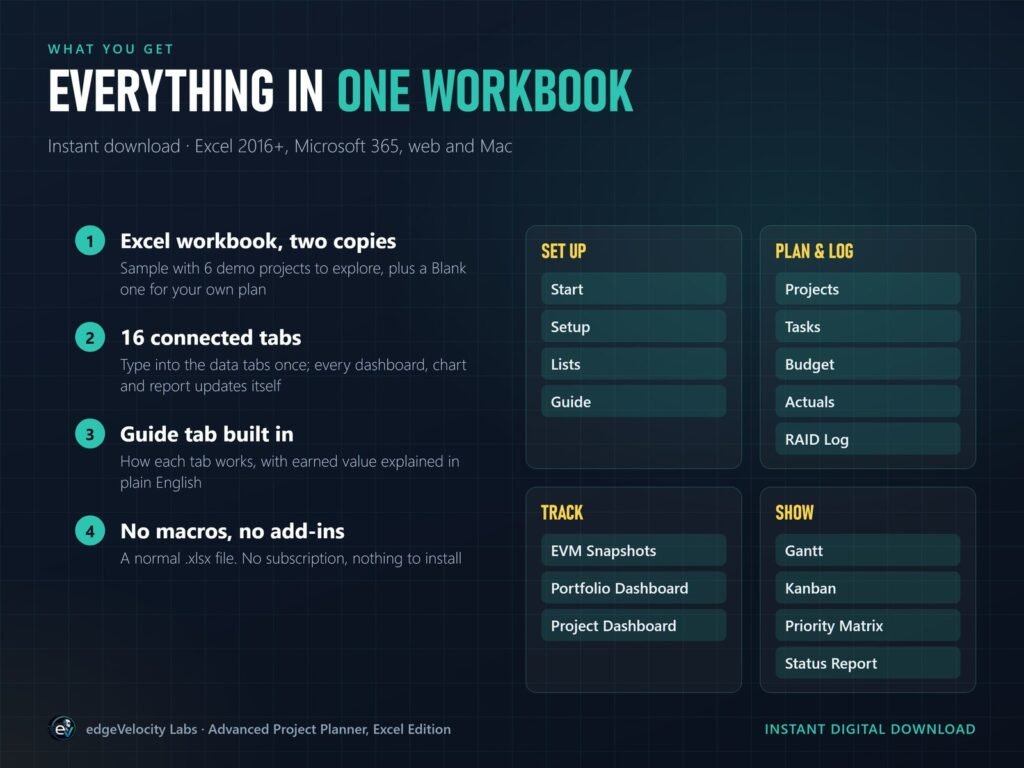
Earned value built in: PV, EV, AC, SPI, CPI, EAC, VAC and TCPI on every task and project
Portfolio dashboard ranks every project worst first, with the reason
Project dashboard with an S-curve of planned vs earned vs actual cost
Client-ready status report: export to PDF, hide the financials with one setting
Gantt chart with baseline shading, % complete and a status-date line
Kanban board and priority matrix from the same task list
RAID log scored probability × impact, with owners and review dates
Checks on every data tab: duplicate IDs, missing baselines, future-dated costs
20 currencies, colour themes and white-label with your business name
Works where you already work
Excel 2016 or later for Windows, Microsoft 365 (desktop and Excel for the web) and Excel for Mac 2016 or later. Not designed for Google Sheets or Apple Numbers: for Google Workspace, see the Google Sheets edition.
No subscriptions
One-time purchase for one business and its clients. No login, no monthly fee, and your data stays in your file.
Good to know: one currency per workbook, one finish-to-start predecessor per task (no critical path), and it's a spreadsheet, not a multi-user database or an audit trail.