

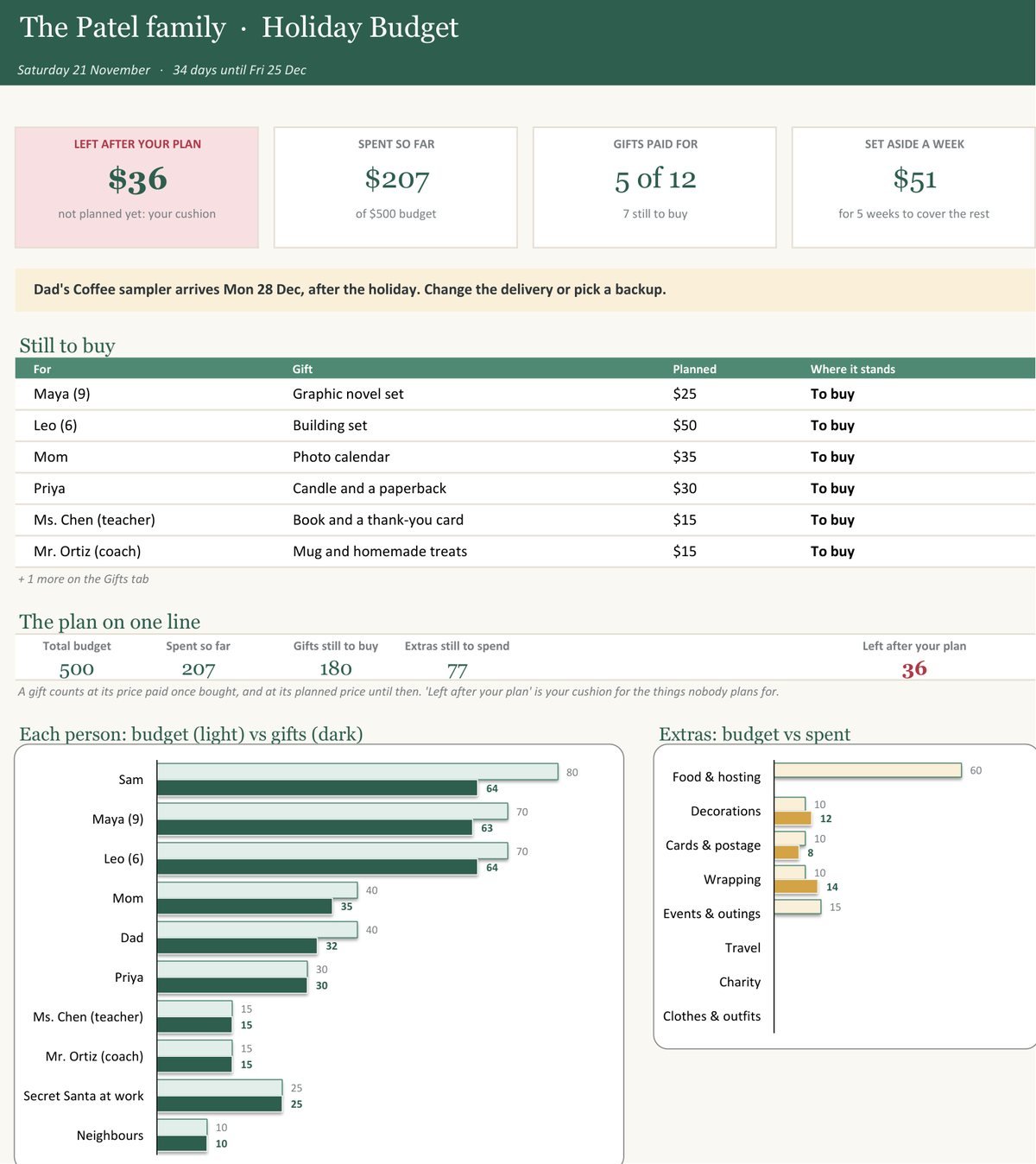


Each kit is a phone app, a spreadsheet for Excel and Google Sheets, and a printable binder, made by edgeVelocity Labs in Canada. A health score points at the one thing to fix today. No subscription and no account.
✦Phone app✦Excel + Google Sheets✦Printable binder✦Instant download✦One price, no subscription✦
Phone app✦Excel + Google Sheets✦Printable binder✦Instant download✦One price, no subscription✦
New · for the holidays
Christmas Budget Planner & Gift Tracker
One budget for the season, a gift list by person, the extras that sneak up on you, and one number for what is left before you shop. Excel and Google Sheets.
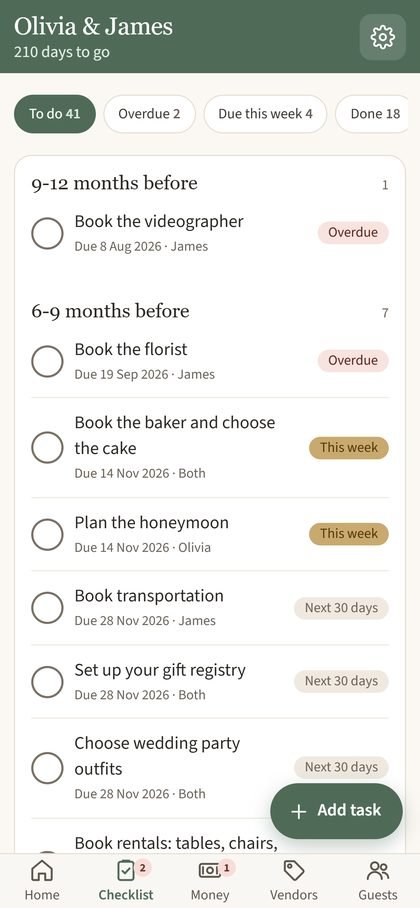
Enter your wedding date once and the 59-task checklist dates itself, counting back week by week. Track your budget across 16 categories, see what each vendor is owed and when, and keep RSVPs and meal choices in one place. A health score out of 100 shows the single biggest issue to fix today. Use it on your phone, in Excel or Google Sheets, or printed.
What is inside the wedding planner
A wedding checklist with real due dates
59 tasks timed in weeks before the wedding. Change the date and every task moves with it.
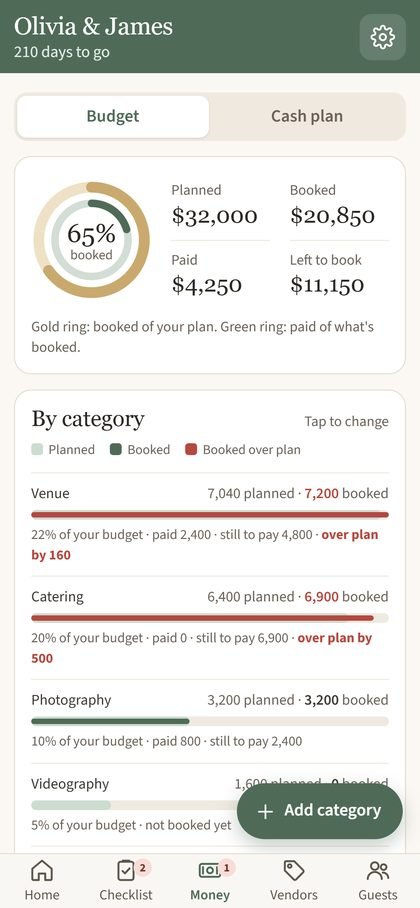
Track your wedding budget and vendor payments
Budget by category, with booked, paid and left side by side, plus a set-aside-per-month figure so deposits never surprise you.
Works in Excel, Google Sheets and on your phone
The spreadsheet has 8 tabs and no macros. The app adds to your Home Screen on iPhone, Android, Mac or PC. The binder is 42 pages in US Letter and A4.
Sample data shown
Kit 02 For the walls-are-open phase
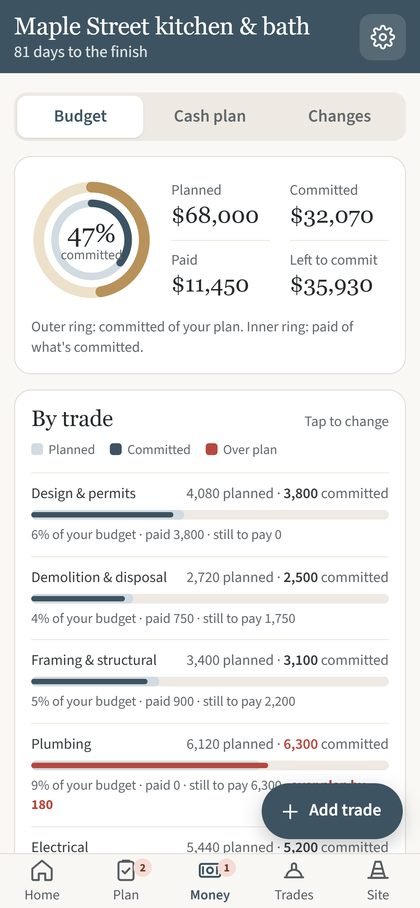
Home Reno Command Center Home renovation planner and budget tracker
Quotes, deposits, permits, surprises. Keep the contractor chaos in one place.
82Health score
51tasks across 8 phases
Committed of the sample budget
Sample data: $32,070 of $68,000
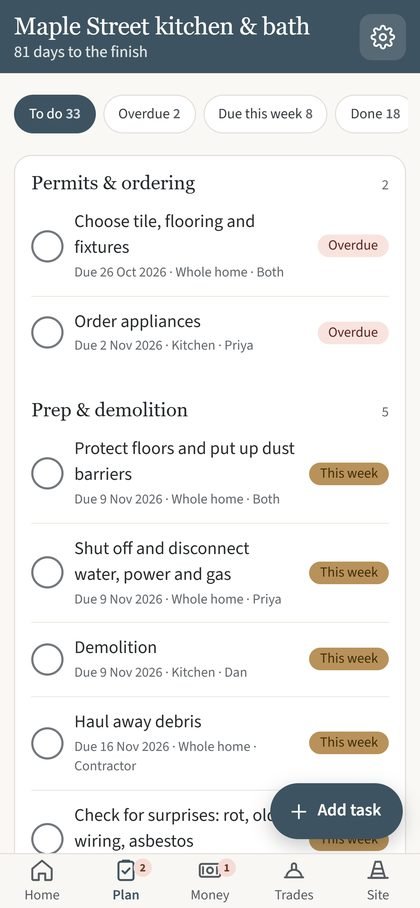
51 tasks, 8 phasesFrom demo to punch list, timed from your start date.
Lowest quote, instantlyCompare trades side by side and spot over-budget lines.
Change ordersApproved extras feed straight into contingency.
Permits & punch listLate permits and last-mile fixes stay on your radar.
Enter your start date and the 51-task plan dates itself across 8 phases, from demo to punch list. Compare contractor quotes side by side, track deposits and payments, log change orders against your contingency, and keep permits in view. The health score points at the one issue that needs you now. It comes as a phone app, a spreadsheet for Excel and Google Sheets, and a printable binder.
What is inside the renovation planner
Contractor payments, change orders and contingency
Approved change orders feed straight into the contingency line, so you see what is left after the surprises. The lowest quote for each trade is picked out for you.
Permits, site log and punch list
Late permits raise a flag on the dashboard, and the punch list counts toward your score in the last four weeks. The binder adds a site log and trade pages with questions to ask.
Dates counted from your start day
The 51 tasks sit in 8 phases, timed in weeks from your start date. The spreadsheet has 10 tabs and the binder is 38 pages in US Letter and A4.
Sample data shown
Kit 03 ADHD-friendly budget
Money Command Center ADHD-friendly budget planner with a safe-to-spend number
Skip the 14-tab budget. One number tells you what's safe to spend until payday.
72Money score
$70safe to spend today
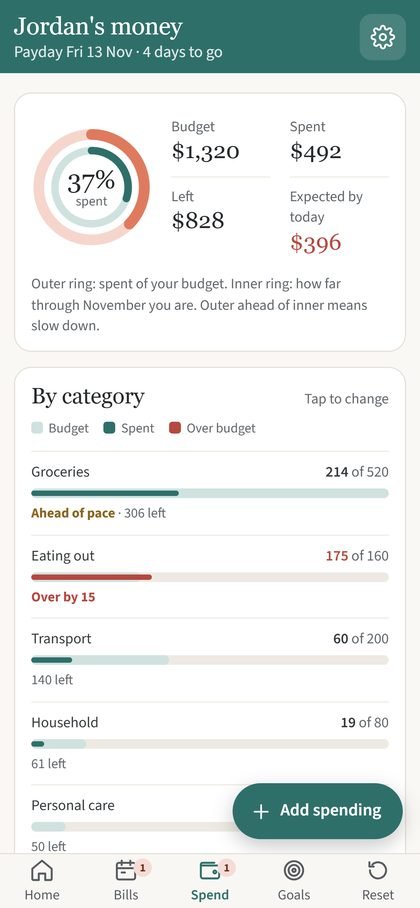
Spent so far this pay period
Sample data: $492 of $1,320
Safe to spend todayBalance minus upcoming bills and your cushion, per day.
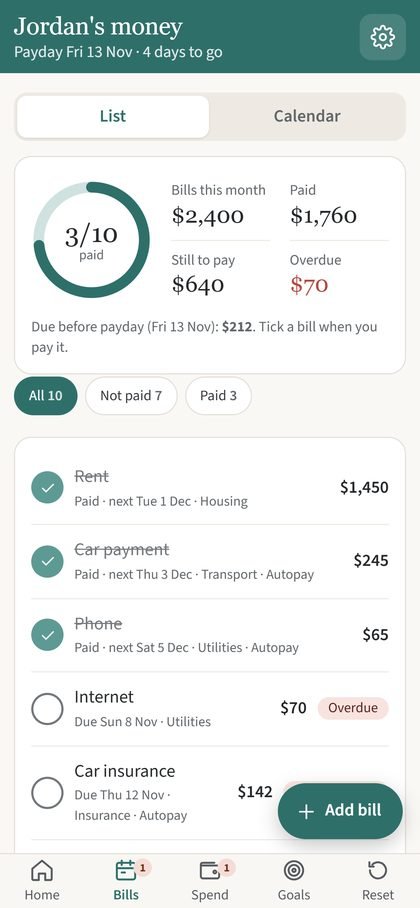
Bills calendarOverdue, due soon, paid. Tick them off in one tap.
Quick spend logAdd a purchase in seconds. See your pace.
Debt & goalsSee your debt-free date and what to tackle first.
Enter your pay, your payday and a cushion, and the kit works out what is safe to spend today: your balance, minus the bills due before payday, minus the cushion, shared across the days until payday. Weekly, every-two-weeks and monthly pay all work. Nothing connects to your bank, so you type in your balance. It comes as a phone app, a 10-tab spreadsheet and a 23-page binder.
What is inside the budget planner
Safe to spend today, until your next payday
A bills calendar shows what is overdue, due soon and paid, and a quick spend log shows your pace against the month.
Weekly, biweekly or monthly pay
Choose your pay rhythm in Setup. A recent payday rolls forward to the next one by itself.
A 10-step monthly reset
The Reset tab walks you through ten steps and starts the new month. The app and the spreadsheet are separate tools and do not sync with each other.
Sample data shown
What is in every kit
Three ways to use it: your pick of tool, or all three.
01
Phone app
Add it to your home screen and use it like any other app.
02
Spreadsheet
Excel and Google Sheets. Classic formulas, no add-ons needed.
03
Printable binder
For the fridge, the clipboard and the meeting with the contractor.
Every kit also includes a START HERE guide with a tap-to-open app link and a QR code, a blank copy for your own plan, and a filled-in sample to explore. The binders come in US Letter and A4. Buying for someone else? See our digital gift ideas that need no shipping, or browse more planners and tools.
Hi, I'm Pankaj
Why we built these
Projects don't fail loudly. They slip quietly.
I've spent more than 20 years delivering technology programs for major telecoms and banks in Canada, the UK and India. The pattern is always the same: it isn't one dramatic moment, it's a half-maintained spreadsheet nobody trusts.
So I build the tools I wanted myself: the structure I'd use on a big program, running in the spreadsheet software you already have. The Command Center kits bring that same idea to the projects in your own life: the wedding, the reno and the paycheck.
One number firstYou should see what's overdue in five seconds, not five tabs.
No new loginRuns in Excel, Google Sheets and on your phone. No subscription.
Your numbers stay yoursThe app has no account and no ads. It saves on your device.
Made by a small studio in Canada
Instant digital download
Phone app, Excel, Google Sheets, printable binder
No subscription, no account
Secure checkout on Etsy
Questions about the planners
Do these planners work in Google Sheets and Excel?
Yes. Each kit includes a spreadsheet for Excel and Google Sheets with no macros, a blank copy for your own plan and a filled-in sample to explore.
Is there a phone app, and does it need an account?
Yes. Each kit includes a phone app that you add to your Home Screen on iPhone, Android, Mac or PC. There is no account, no subscription and no ads, and your plan saves on your device.
What do I get after I buy?
Instant digital downloads from Etsy: a START HERE guide with a tap-to-open app link and a QR code, the spreadsheets, and the printable binder in US Letter and A4.
Can I buy just one part: the app, the spreadsheet or the binder?
Yes. Each kit also has separate Etsy listings for the app, the spreadsheet and the binder, priced separately. The kit bundle gives you all three.
How does the wedding checklist know my due dates?
Enter your wedding date once. Each of the 59 tasks is dated by counting back from it, and moving the date moves them all.
What does safe to spend today mean?
It is your balance, minus the bills due before your next payday, minus a cushion you choose, shared across the days until payday. It works with weekly, every-two-weeks and monthly pay.
Does the budget planner connect to my bank?
No. There is no bank login. You type in your balance and your numbers save on your device. The app and the spreadsheet are separate tools and do not sync with each other.
Can I print it?
Yes. Each kit has a printable binder in US Letter and A4: 42 pages for the wedding kit, 38 for renovation and 23 for money.
Are prices in Canadian dollars?
Yes. Each kit is CA$14.90 and checkout is on Etsy.
These kits are planning tools, not financial, legal or wedding-planning advice.